
Into the Trash
Everything DiskSamurai removes is moved to the macOS Trash, never erased on the spot.
Free for Mac
Slice through disk clutter.
DiskSamurai is a more beautiful, fun and smart way to free disk space.
One scan, three views
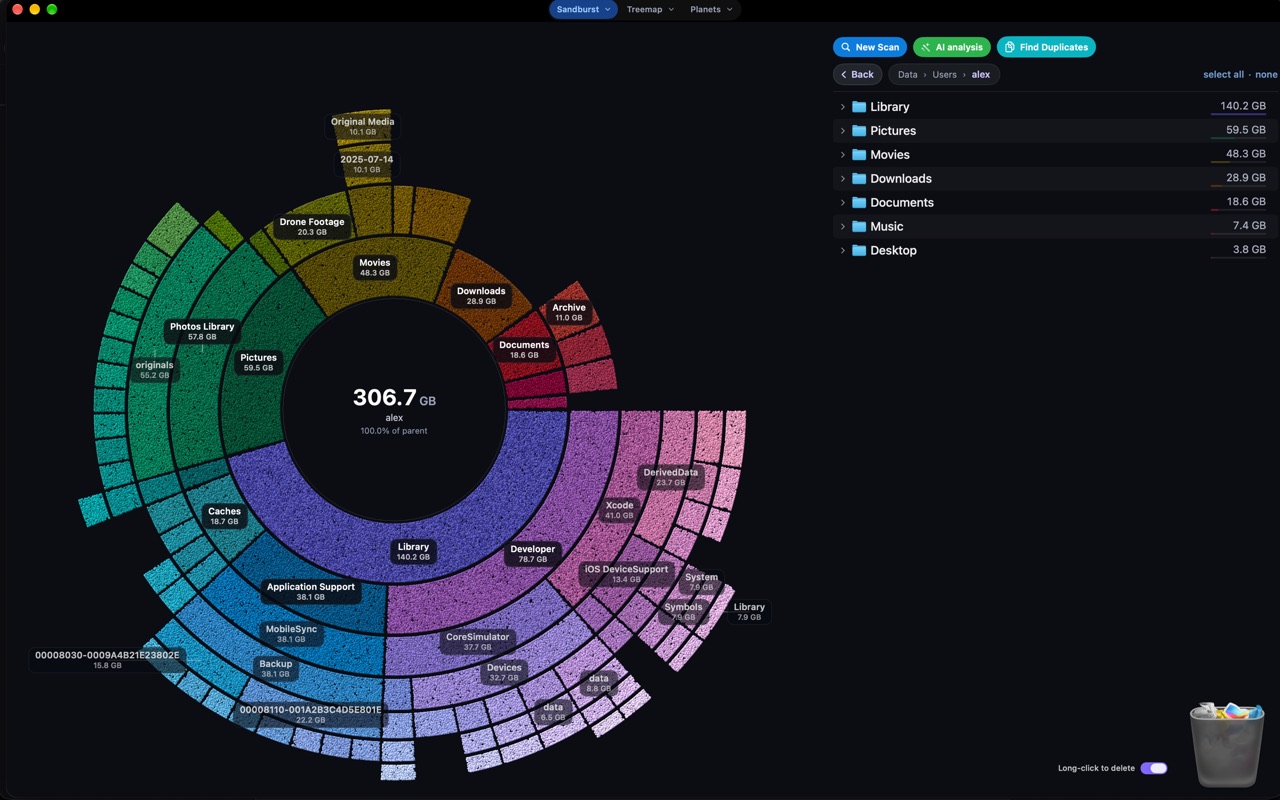
Three views of the same scan: Sandburst, Treemap and Planets. Switch whenever you like; the scan stays the same.
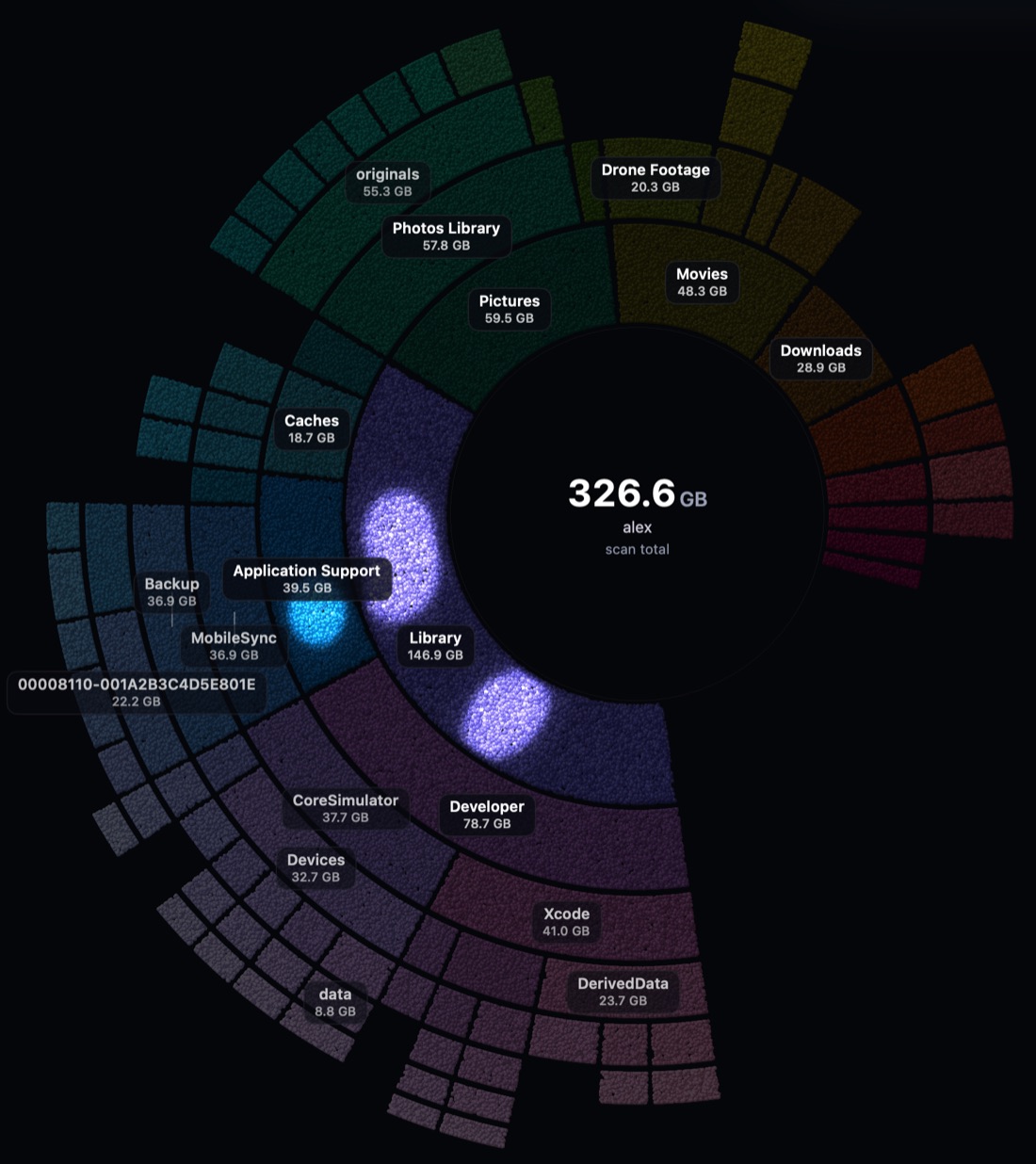
Your folders as rings around the centre, each ring one level deeper. The widest slices are the biggest folders; follow one outward to see what is filling it, then click to dive in.
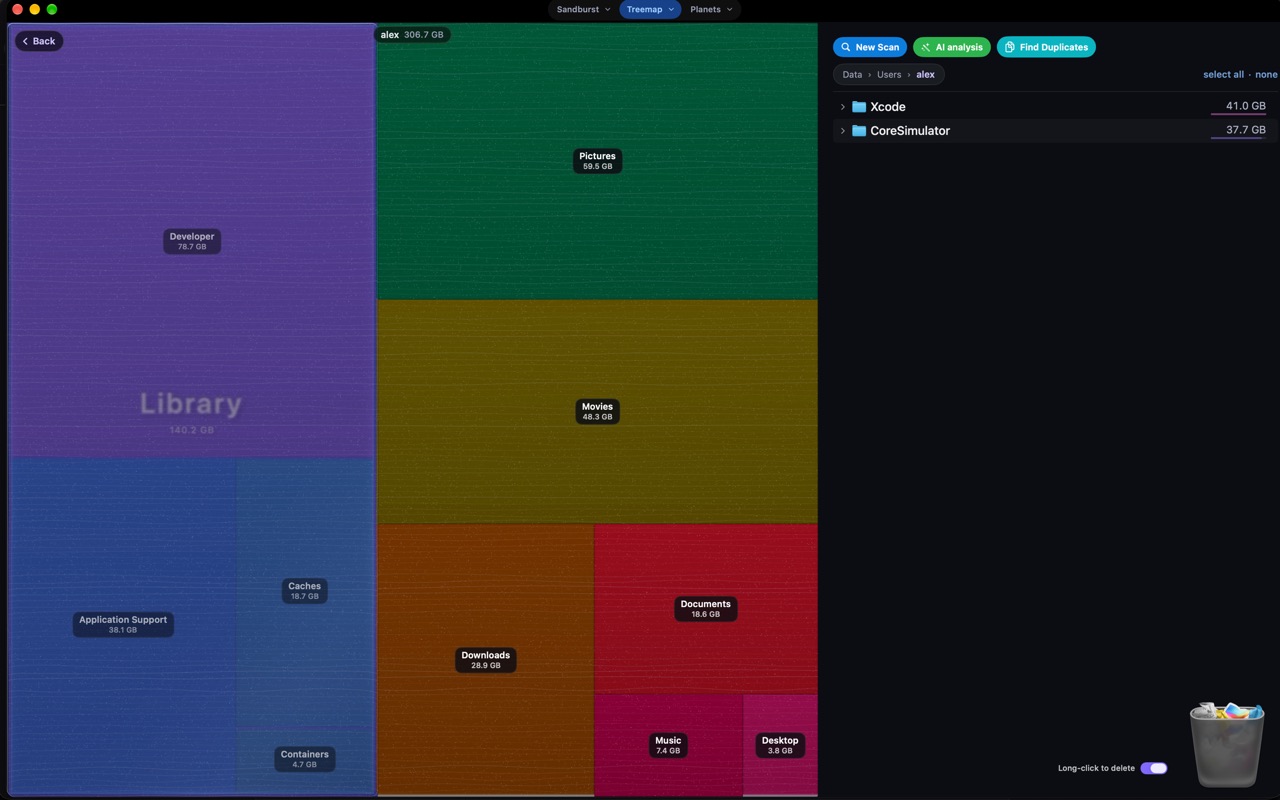
Every folder is a block sized by what it holds, so the biggest space hogs are the biggest shapes on screen. Hover reveals contents without clicking.
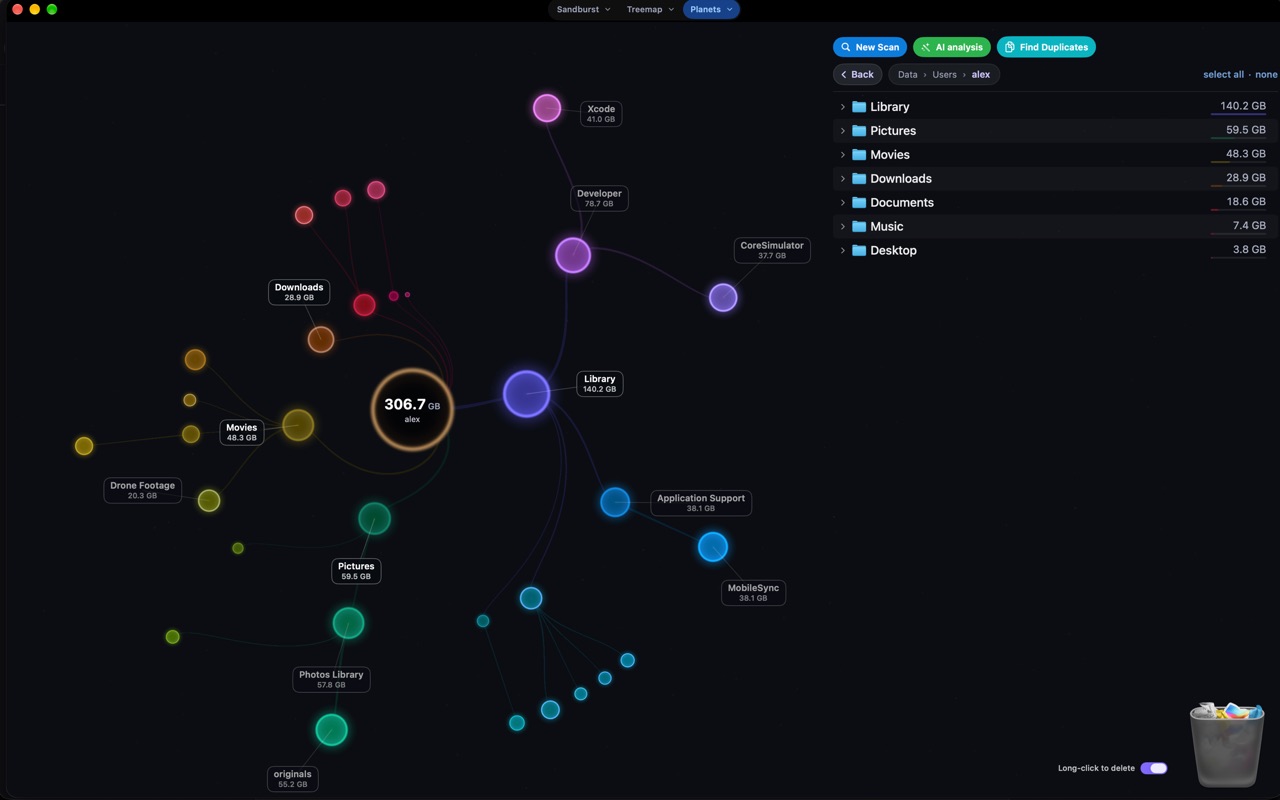
The same folders as a small solar system: each glowing planet is linked to the folder it lives in, so you can trace where the weight sits at a glance.
Delete from the map
Hold a folder, drag it onto the can or right-click it and choose Delete. Each view gives it its own send-off, and ⌘Z brings it back.
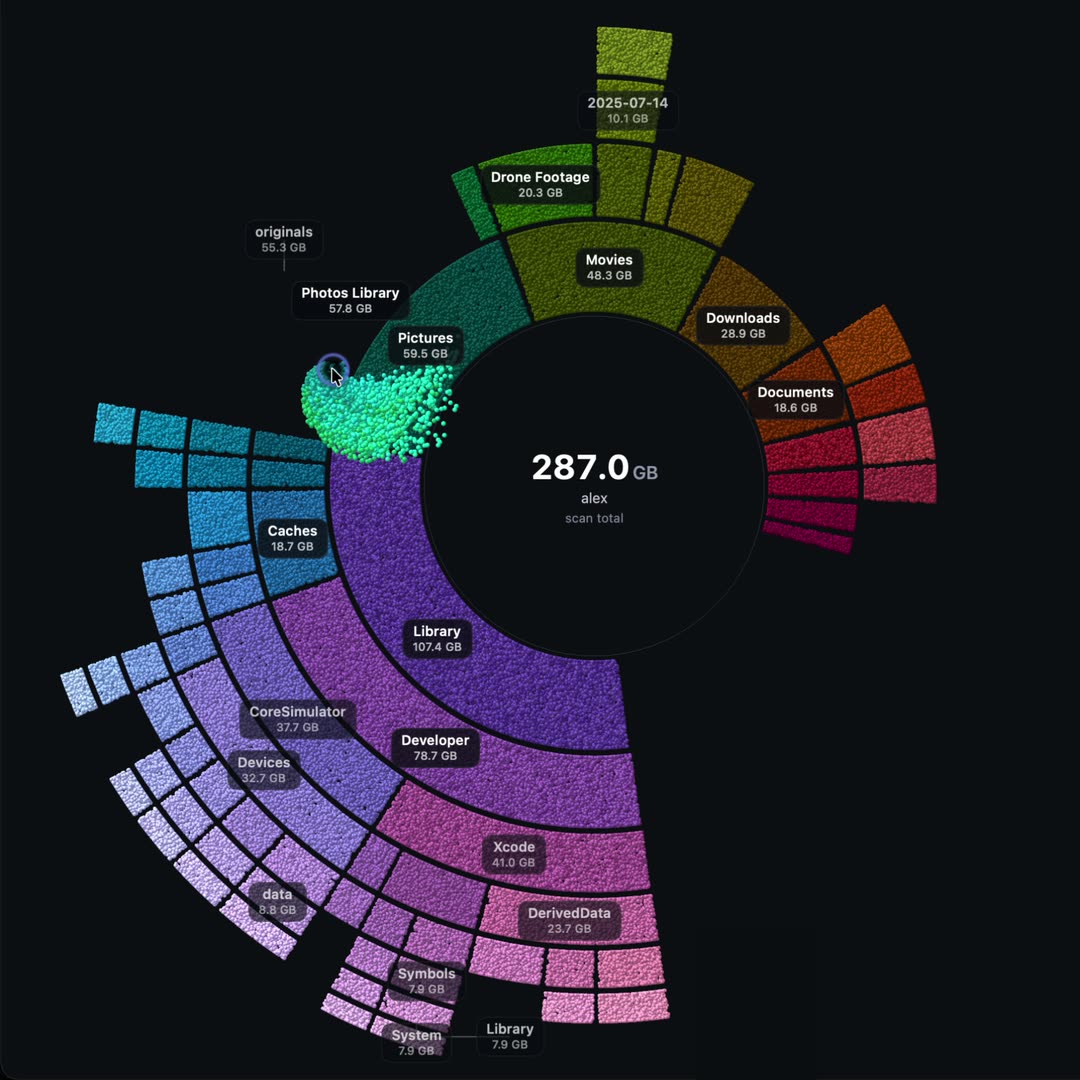
The slice crumbles into sand and streams away; the rings close up behind it.
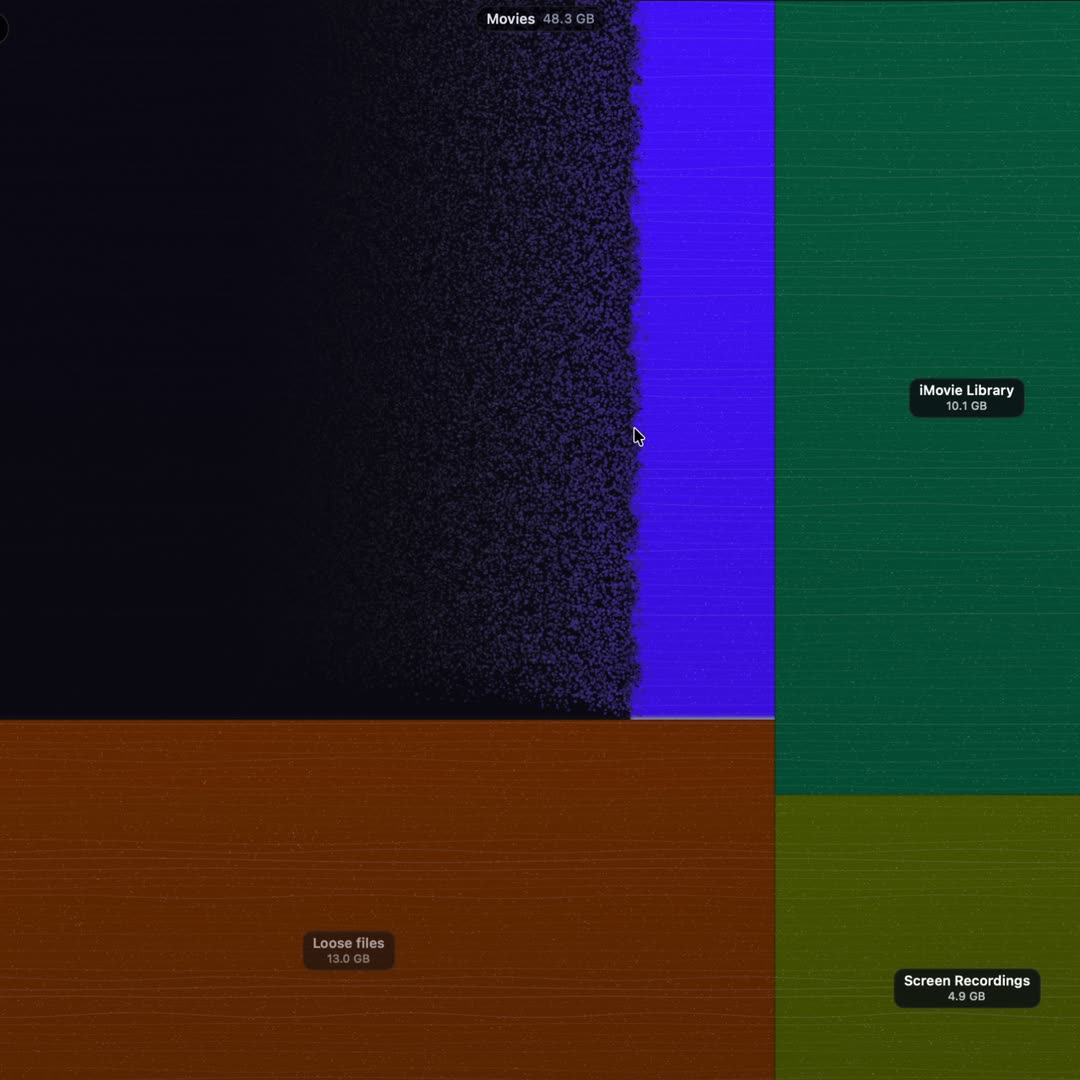
The block dissolves edge to edge, then its neighbours slide in to fill the hole.
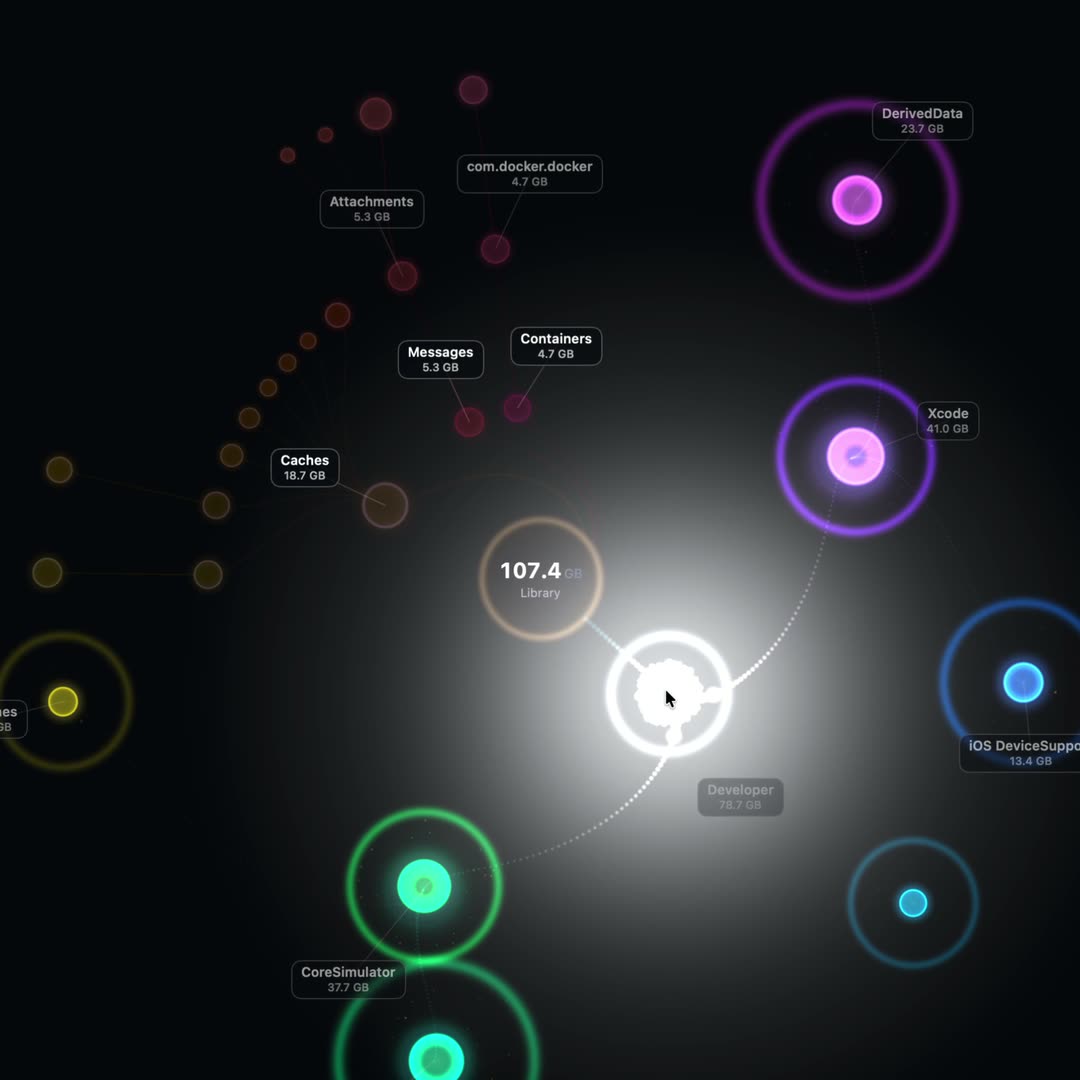
The planet charges up, then detonates in a white flash of shards.
Optional AI analysis
It digs into the suspicious folders. You decide what goes.
Bring your own API key. Only names, sizes and dates are sent, never file contents, and only after you say yes.
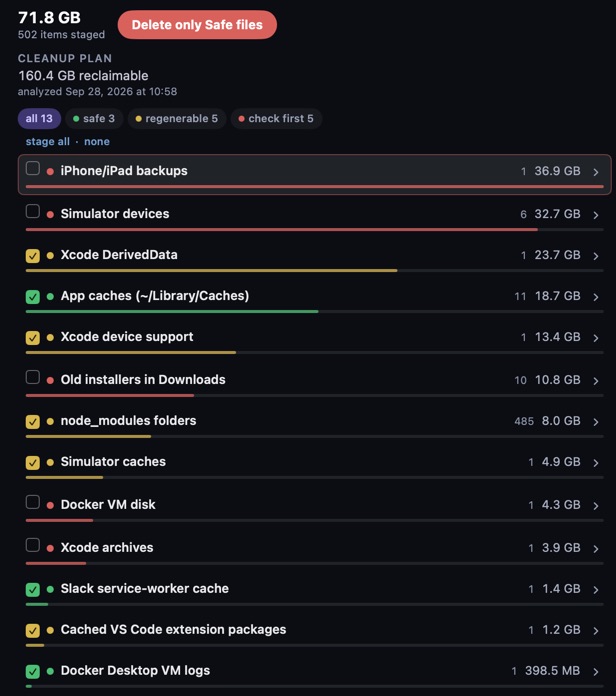
Cleanup plan
A cleanup plan that explains every group before anything moves.
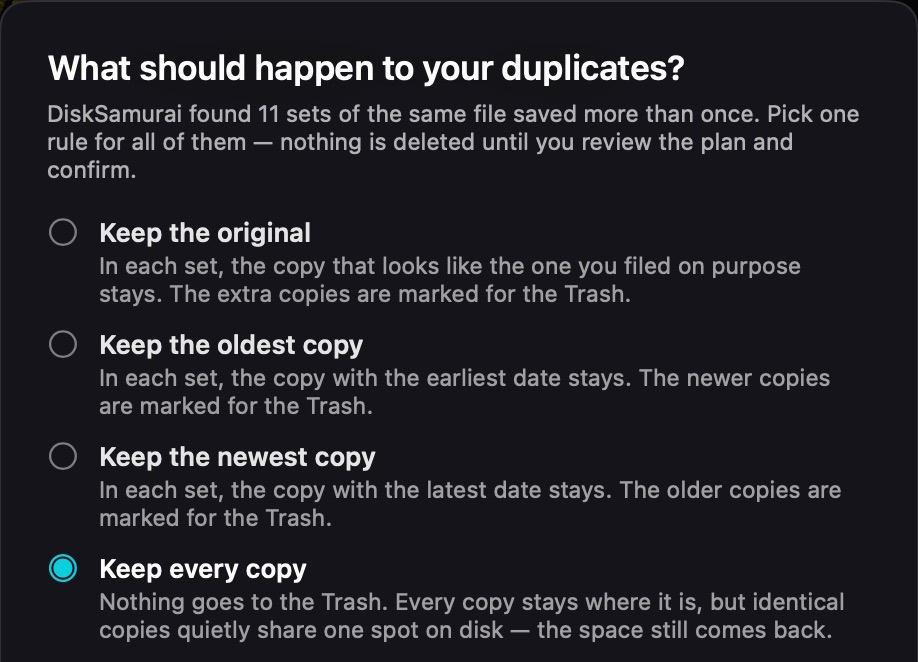
Stage the easy wins in one click and take a second look at the rest. Nothing is removed until you say so, and whatever you remove goes to the Trash.
Find Duplicates
Clean up
Caches, logs, leftover installers and developer junk are grouped so you can clear a category at a time.
Everything DiskSamurai removes is moved to the macOS Trash, never erased on the spot.
Changed your mind? Press ⌘Z and removed files go back where they were, most recent first.
Turn the option on and a file or folder goes to the Trash when you click and hold it for 2 seconds. It's more fun that way.
Privacy
No accounts, no analytics, no advertising. DiskSamurai does not contact any server of ours.
Nothing about you or your files is gathered. There is no telemetry and nothing to sign in to.
The App Store edition runs in Apple's App Sandbox and sees only the folders you grant it.
Off until you add a key. Then DiskSamurai asks before sending to each provider, and your key stays in the Keychain.
Every removal lands in the Trash first, and ⌘Z puts it back.
Specs
FAQ
Yes. DiskSamurai is free, with no in-app purchases and no account.
macOS gives App Store apps one folder at a time. On first launch DiskSamurai opens a window already showing your startup disk: select it and click Grant Access, and it can measure everything on it without asking again. macOS then asks separately, once each, about Desktop, Documents, Downloads, Photos and other apps' data.
Skipped it? Click the System Data area of the map and choose Grant Access. On macOS Tahoe 26.0 a system bug blocks this; update to 26.1 or later.
macOS seals Mail, Safari and cookie storage, other people's home folders and some protected system locations from every App Store app. DiskSamurai doesn't guess their size: whatever it couldn't read is counted as System Data, and clicking it explains what was left out.
To the macOS Trash, never erased. Press ⌘Z (Edit → Undo Move to Trash) to put them back, most recent first. Undo covers the current scan; until you empty the Trash you can also drag files back out yourself.
Nothing, unless you turn it on. It stays off until you enter an API key for a provider you choose, and DiskSamurai asks before the first analysis with each provider. It sends that provider the names, paths, sizes and dates of files from the scan. Nothing is sent to us. The provider's own privacy policy applies to what it receives.
DiskSamurai → Settings (⌘,) → Provider, pick the provider and click Delete next to the key field. The key is removed from your Keychain.
macOS 12 Monterey or later, on Apple silicon and Intel Macs.
Delete your API key first if you added one, quit DiskSamurai and drag it from Applications to the Trash. Its scan results and settings live in ~/Library/Containers/com.gozulin.DiskSaverMAS, which you can delete too.
More answers on the support page, or write to [email protected].

Free to download, and soon on the Mac App Store. No in-app purchases, no account, no telemetry.